
NEW Figma plug-in · Design systems · Tokens
Theme Runner
A Figma plugin that audits every tokenised value in a design system, then themes them all in a single approved pass.
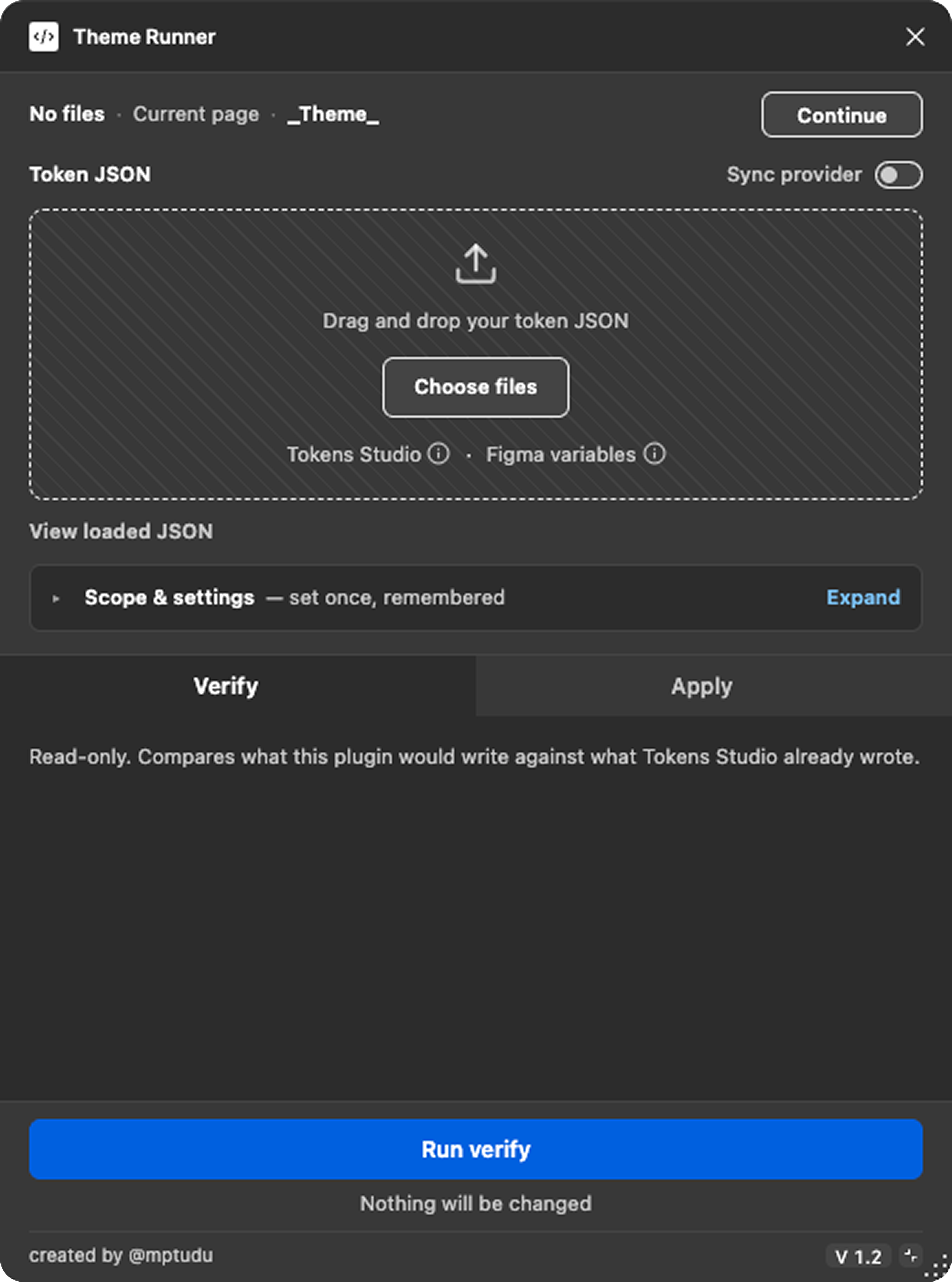

A Figma plugin that audits every tokenised value in a design system, then themes them all in a single approved pass.
01 — The problem
Every brand delivery meant applying 5 themes across 40 components by hand — about 200 identical actions each time. Tokens Studio writes raw values onto layers, so the link back to the source token looks lost.
02 — The insight
The link wasn't lost. Tokens Studio already stores each applied token's name in Figma's shared plugin data. Nothing was reading it.
03 — What I built
A plugin that reads that data, audits every layer value against its token, runs the full theme as a dry run, and writes only after explicit approval. Covered by 467 automated checks across five test suites.
04 — What the first audit found
19,851 of 90,222 values — 22% — did not match their tokens, and 1,497 tokens did not resolve at all. Stale values that had been shipping undetected.
05 — Where it stands
100% accuracy verified on two components, at 1,105 and 12,920 values. Resolutions cut roughly 97% by memoising, from about 9,600 to 310 per page. Next: the first live themed delivery, measured against the 200-action baseline.
confidential — partially withheld
This was built for a live client design system, so parts of it cannot be shown. Component names, token names and brand colours have been changed or removed throughout, screenshots are redacted where they would identify the work, and some figures are deliberately held back. Everything that remains is accurate and measured — nothing here has been rounded up, estimated, or invented to fill a gap. If a number would need context I cannot share to be honest, it is not on this page.
Every time an agency brand file landed, I had a colour palette and a type specification to apply across an entire component library.
The process was mechanical. Paste the values into Tokens Studio. Then, for every artboard: select it, switch the theme in the plugin, hit Apply. Forty components, five themes each. Around 200 repetitions of the same three actions, for every brand delivery.
I was asked for a way to automate the process.

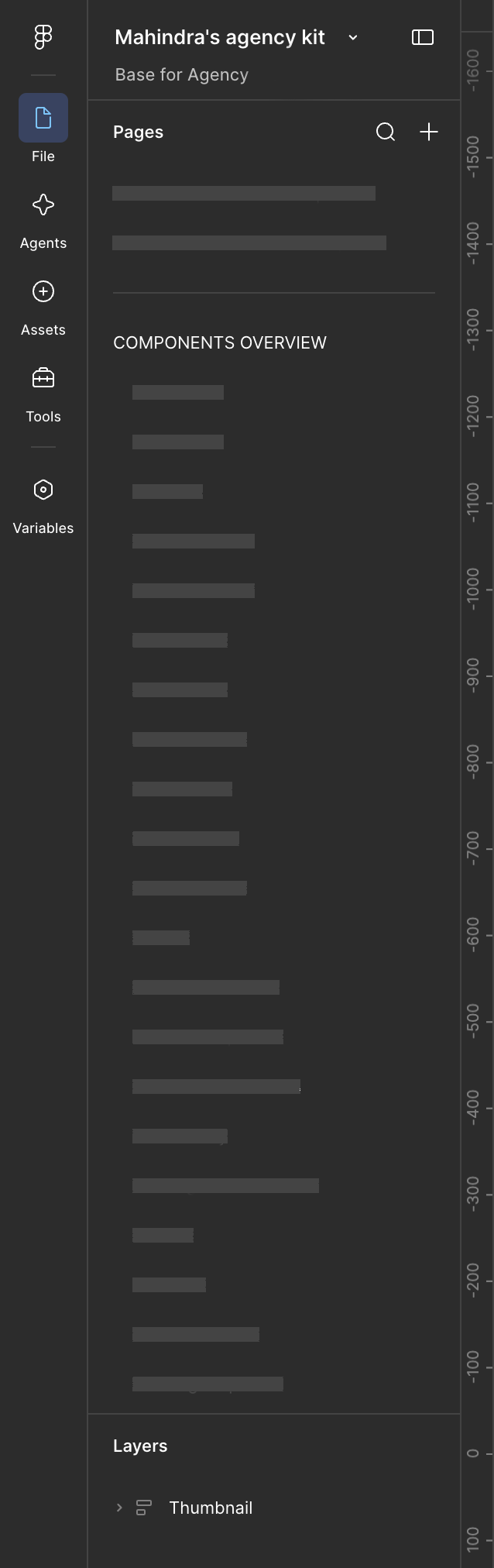
The working file we ran against.
Tokens Studio was writing raw values onto the layers. A hex code has no memory of the token that produced it. Once a colour is sitting on a layer, nothing records which token it came from. So every re-theme had to re-walk every artboard and re-stamp every value from scratch.
That is why the cost was components × themes, and why it repeated in full every single time.
Automating the clicking would only have made 200 operations happen faster. The better question was why 200 operations were needed at all.
Before — once per artboard
Select the artboard
→
Switch the theme
→
Apply
↵ repeat ×200
Forty components, five themes each — and the whole loop again on the next brand delivery.
After — once per brand
Paste the palette
→
Audit
→
Run once
→
Review
No repeating now. The loop existed because painted values forget the token that produced them — once that name is read back, there is nothing left to repeat.
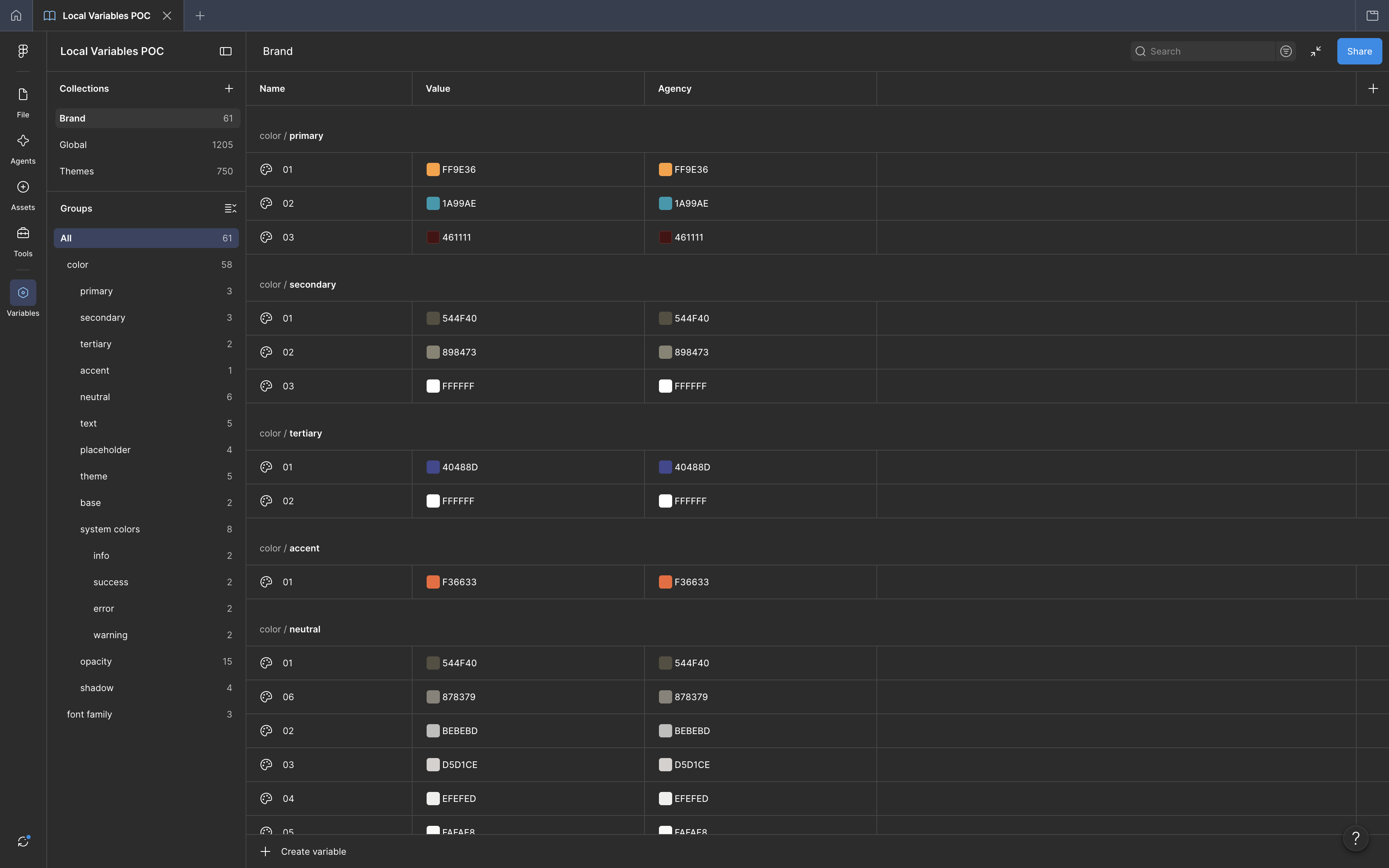
The variables route the team had already tested.
The textbook fix is Figma variables. Bind layers to variables, put each theme in a mode, and a theme switch becomes a mode switch.
My team had already tried variables and rejected them as hard to manage at our scale. That wasn't my call to overturn, and arguing for it would have spent the goodwill I needed for whatever came next.
So the constraint became the brief: solve this without variables, without changing how the file is built, and without asking anyone to relearn their workflow.
Tokens Studio stores the name of every applied token on the layer itself, in Figma's shared plugin data. It publishes this deliberately, so other tools can build on it.
Which means every component in the library was already labelled — the token name sitting on the layer, surviving every re-theme, invisible to everyone.
The automation didn't need new infrastructure. It needed to read what was already written down.
2,335
layers on a single component page were already carrying the name of the token that painted them — counted by Inspect, before a line of theming code existed.
How it comes back out
node.getSharedPluginData('tokens', key)
One documented call per layer. Tokens Studio writes this deliberately and publishes the format, precisely so other tools can build on it — which is the only reason any of this was possible without touching how the file was built.
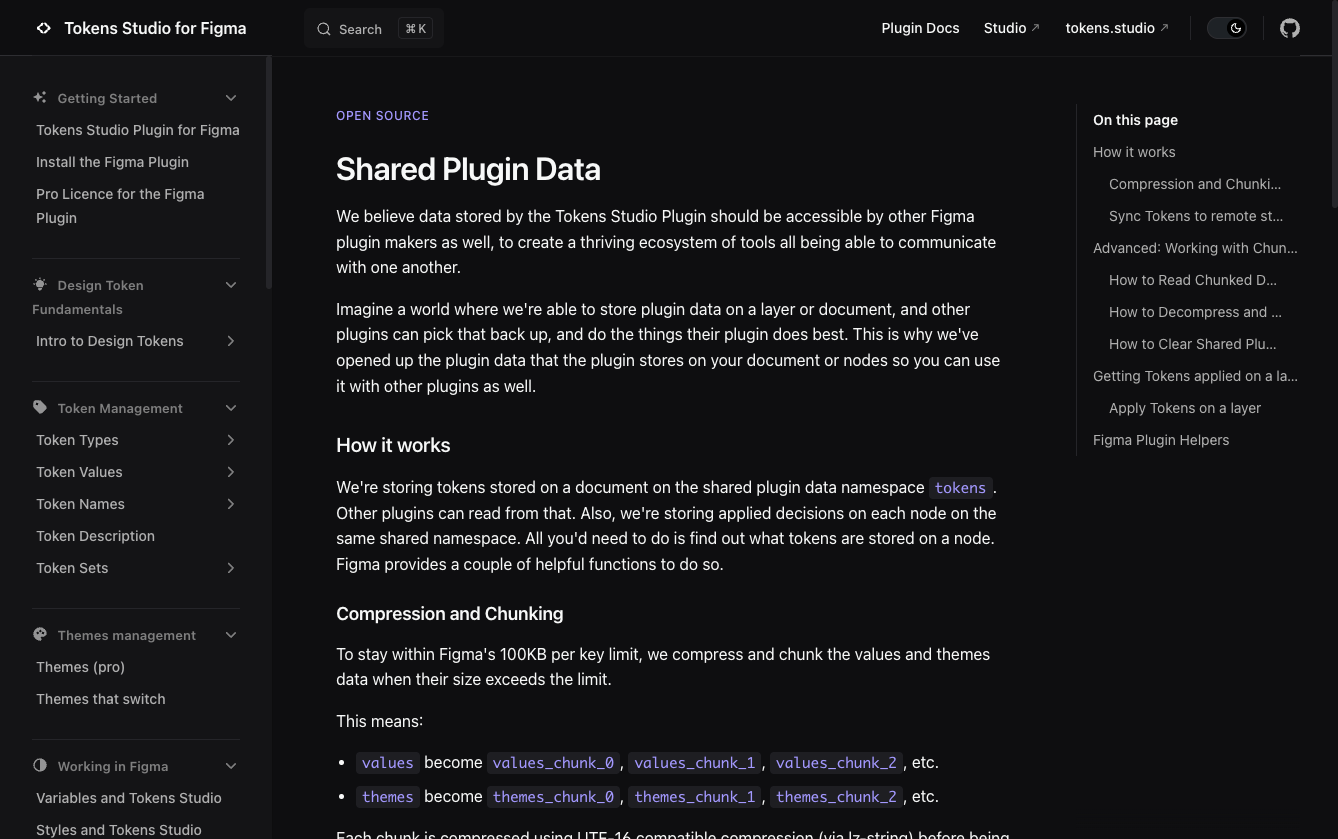
Tokens Studio docs ↗
Every layer already knew which token produced it. Tokens Studio documents the format — open the docs.
Same output as the manual process — raw values on layers, identical file structure. No migration, no rebuilt components, nothing for the team to relearn.
A — Verify
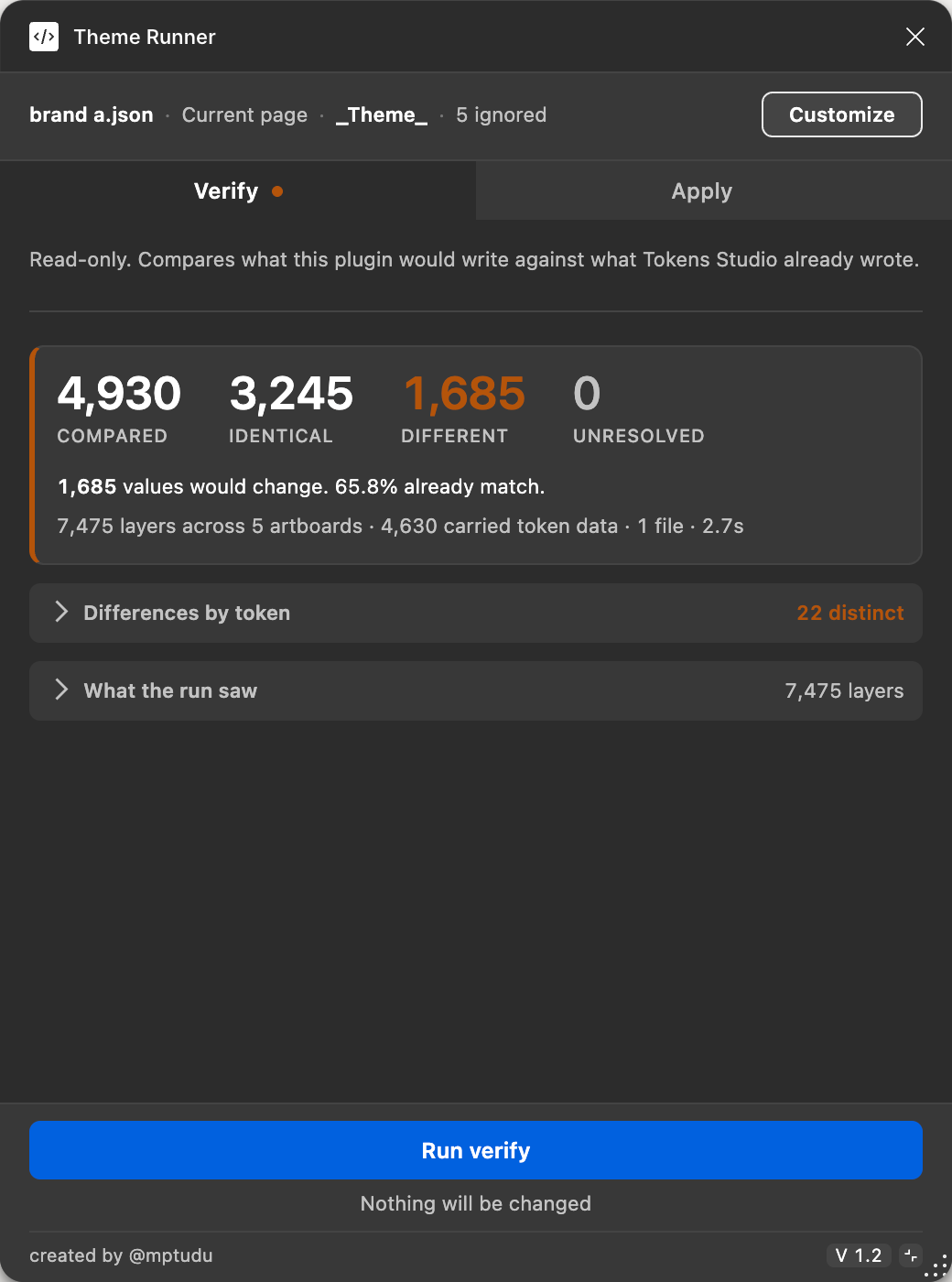
Compare what every layer should be against what it is. Nothing is written, and a zero comparison count reports as a failure rather than a pass.
B — Dry run
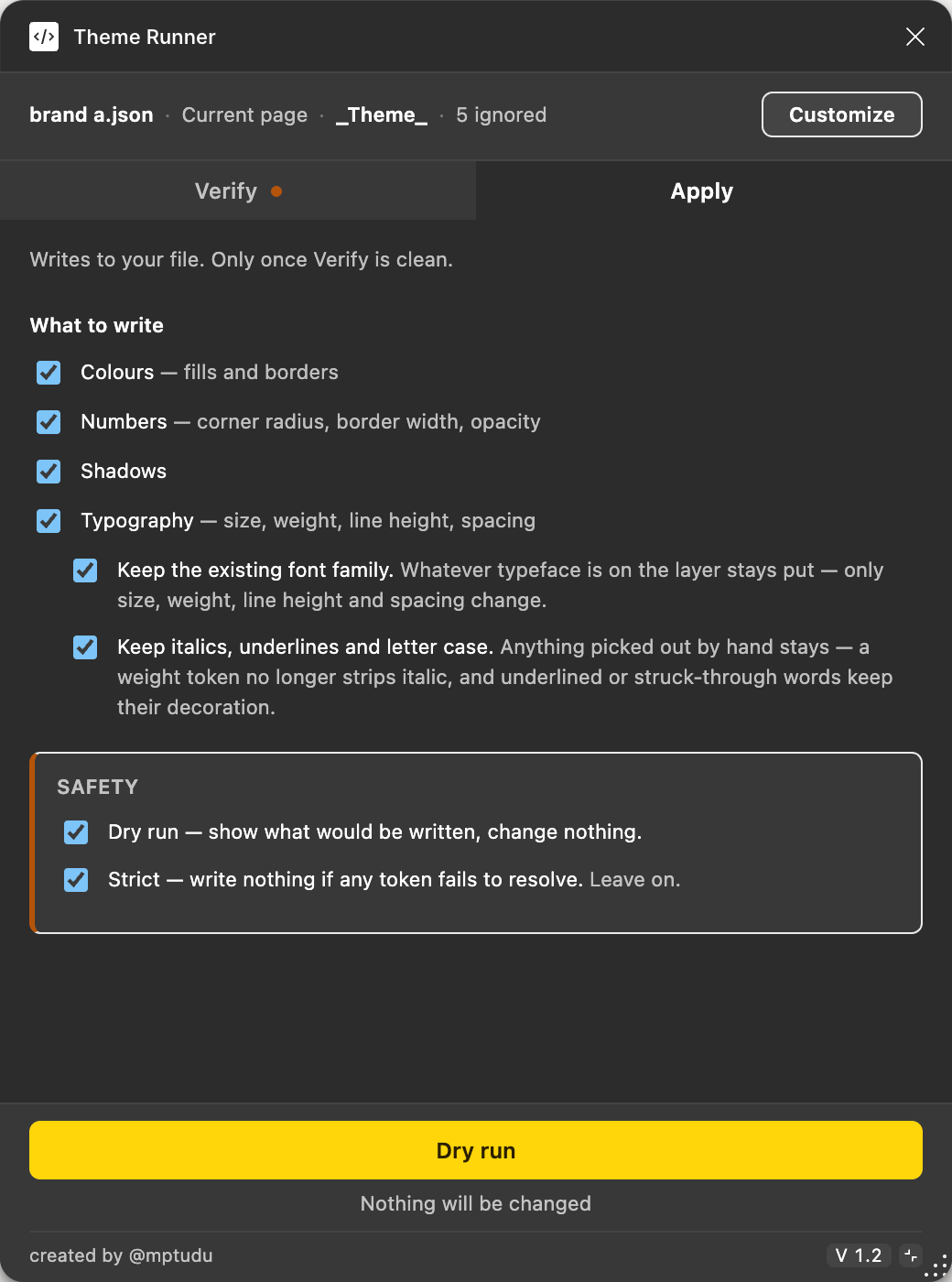
Apply opens disarmed. The full plan of intended writes is resolved and listed, and the button only turns red once you deliberately arm it.
C — Applied
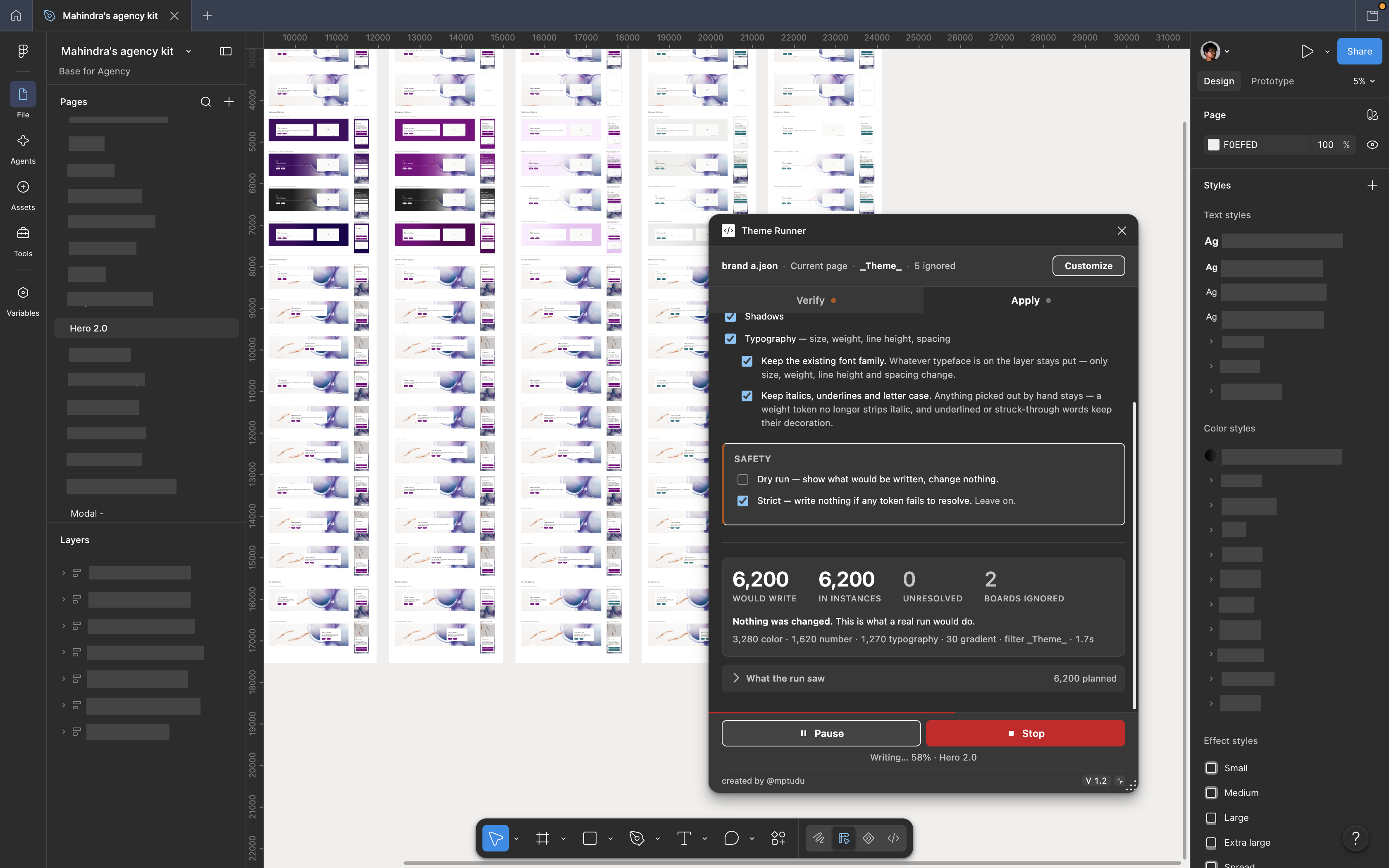
The same output as the manual process — raw values on layers, identical file structure — reached in one approved pass.
Every component page had five artboards named identically. The theme lived in the designer's memory, not the file. So the plugin scans the whole file and identifies every artboard instantly, then resolves each one against a rule set the designer defines — matching artboards to theme sets, and offering to apply. Nothing in the file is restructured; the knowledge moves out of memory and into rules the team controls.
Roughly 85% of the tagged layers — 2,119 of 2,335 — sat inside nested component instances. Workable, but it means the writes are override operations, which behave differently and can be refused.
Some colour tokens held CSS gradients rather than flat colours, in a non-standard syntax with inconsistent spacing. These needed parsing into real Figma gradient fills, including converting CSS angles into Figma's transform matrix.
Themed artboards also contained annotation labels using tokens outside the theme system. These had to be excluded explicitly, rather than allowed to block a run.
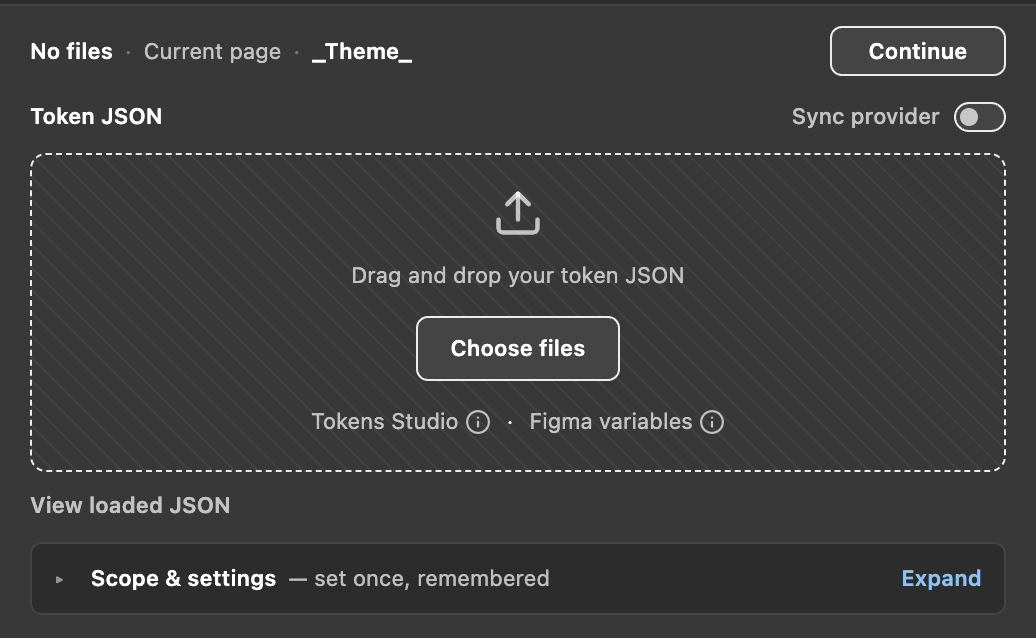
Both formats identify themselves in their own contents, so there is no format setting to get wrong — the panel reconfigures around whichever it finds.
The constraint was never to avoid Figma variables. It was never to rebind the client's file to them — and reading an export is a different act.
A later version added a second engine that reads Figma's own variables export alongside Tokens Studio's. Figma writes one JSON file per mode, and the reconciliation is the interesting part: five mode files each carrying the same variable name become one variable with five mode values, not five separate variables.
Apply creates any missing collections, modes and variables, then makes a second pass so an alias reference resolves to a real Figma alias rather than a string — semantic tokens stay wired to their primitives instead of quietly flattening into copies of them.
Neither format has to be declared. Both identify themselves in their own contents, so the files are read as they land and the panel reconfigures itself around what it found.
To trust the tool, I built a mode that compares what it would write against what is already on every layer — before writing anything. Then I ran it across the entire library.
90,222
values compared in a single run, across every component in the library.
70,371
identical — 78% of the library already matched what its tokens say it should be.
19,851
different — 22% of everything checked had drifted from its own token.
1,497
unresolved — flagged, never guessed, and each one blocks a strict run until it is settled.
Nearly twenty thousand values across the library did not match the tokens that were supposed to have produced them. Not a bug in the tool — components that had drifted across many manual re-theming passes, with nothing in the pipeline able to see it happening. The pages already corrected come back clean; the 22% sits in everything that had not been touched.
The 1,497 unresolved are a different problem, and the more urgent one. Strict mode means a single token that fails to resolve stops the whole run, so each of those has to be settled before a full apply can go ahead. The tool had accidentally become an audit — it is the only thing in the pipeline that knows what a layer is supposed to be, so it is the only thing that can say where the library has slipped, ranked worst-first by page.
The business case shifted. “Saves me days per brand” is useful. “Saves me days per brand, and found thousands of wrong values we had been shipping” is much harder to argue with.
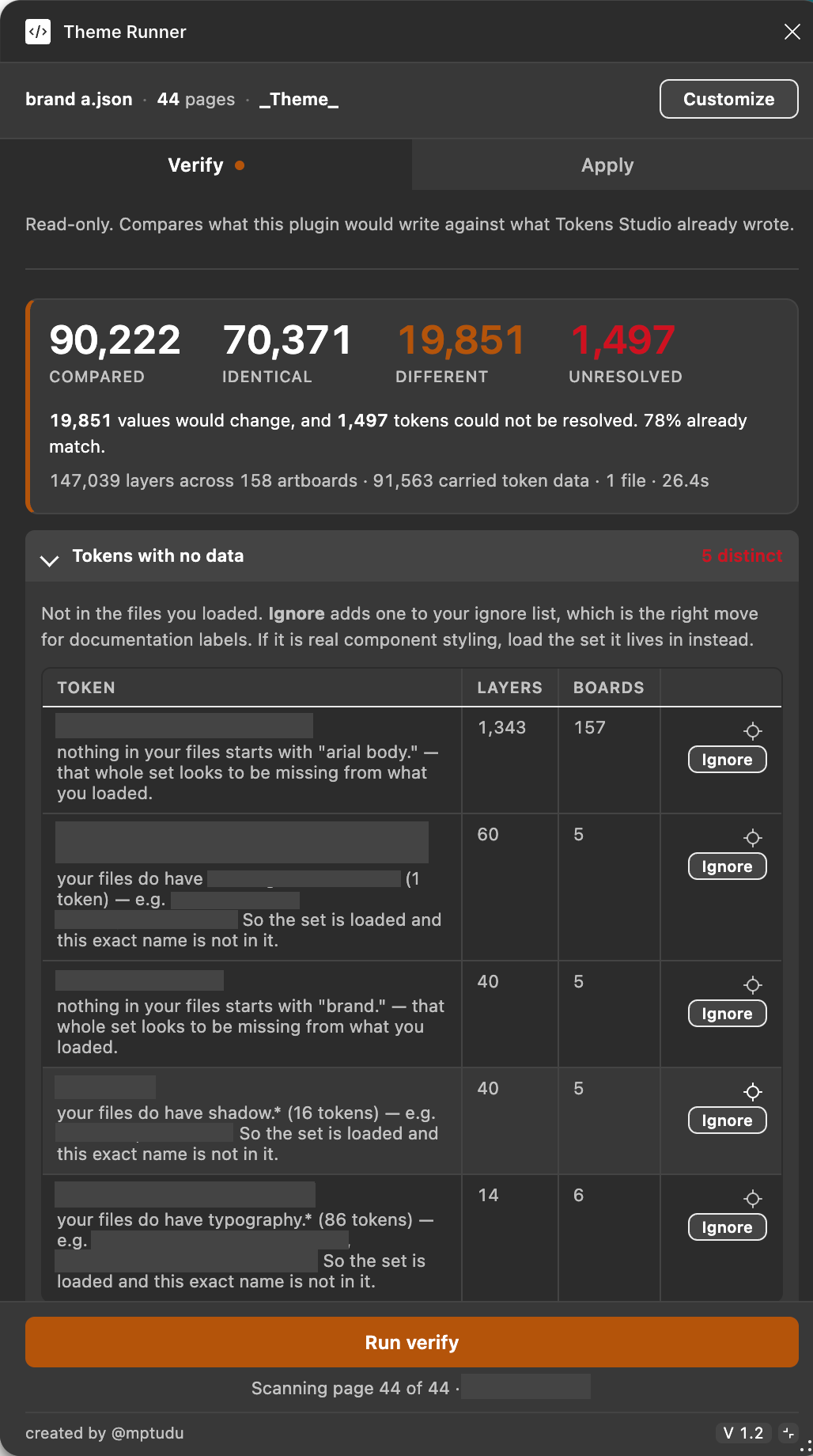
The whole library measured at once, and the drift visible for the first time.
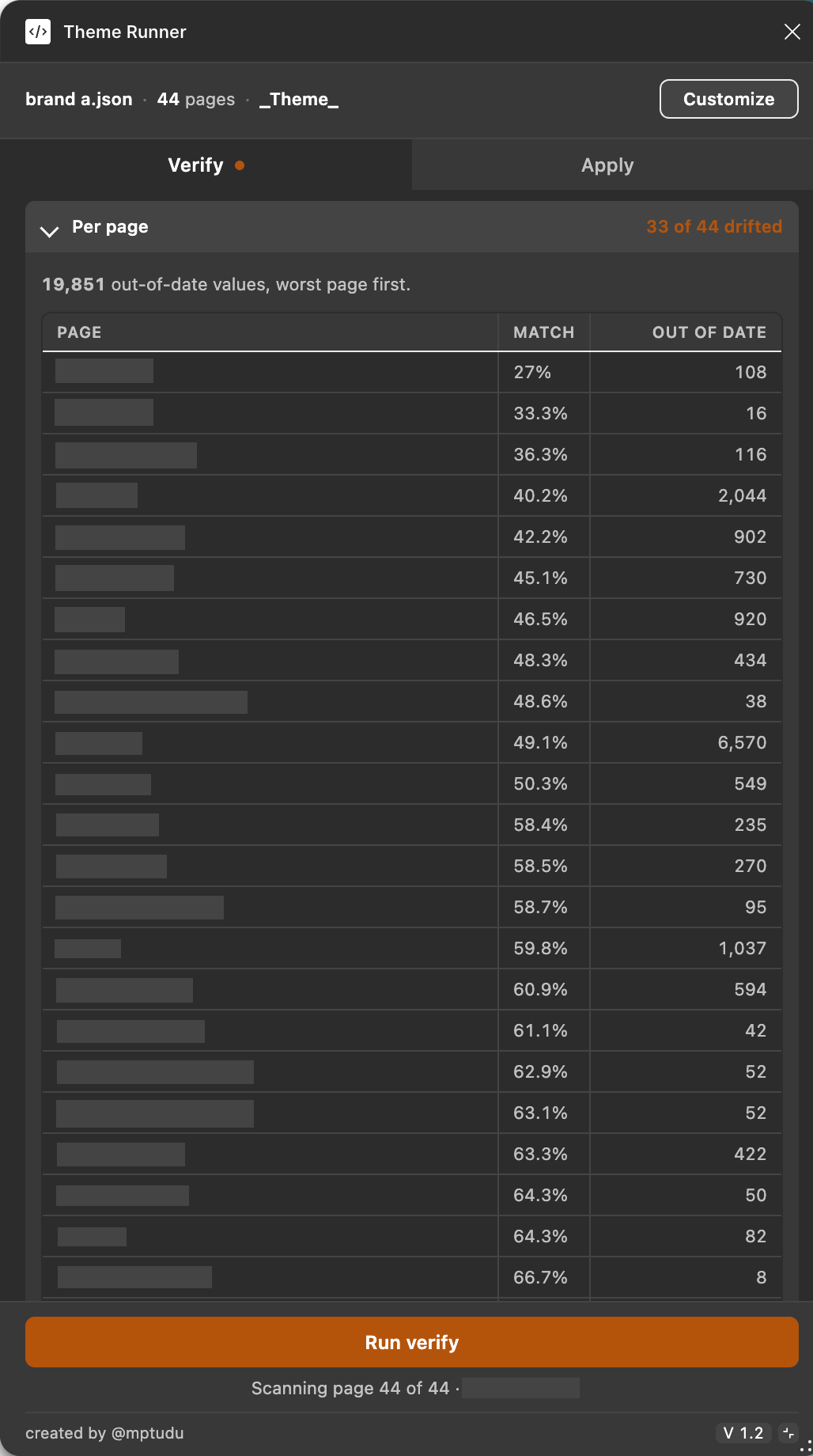
A theming tool that became a health report.
A case study where nothing goes wrong reads as fiction. Each of these changed how the tool was built, not just what it did.
An early Verify run reported “0 values compared” — and rendered it green, because the code asked whether the mismatch list was empty and got the answer it wanted. Nothing had been compared; the scope was empty. It now reports Nothing was compared — this is not a pass in red, with a decision tree naming which of the four possible causes it was.
Dry run listed gradients in the plan. Apply reported success. No gradient changed. The write filter was a map of property kinds and it had no gradient key — an absent key is falsy, so every gradient was dropped in silence. The one-line fix mattered far less than the test that now asserts the map covers every kind the resolver can produce.
A check that a tested colour was actually present in the shipped stylesheet passed. Then I deleted the code it was guarding, and it passed again — the colour was also named in a comment explaining why it had been chosen. It strips comments before looking now.
Every guard in this project was verified by breaking the thing it guards and confirming the test fails. A test that does not fail when its subject is removed is decoration.
The gradient one I got wrong twice. When the designer reported gradients not applying, I said I did not think I had ever claimed gradient support. I was wrong — their colour tokens held CSS gradient strings, and the tool had been quietly mishandling them the whole time.
Three deliberate choices, because a theming tool that is subtly wrong is worse than no tool at all.
The comparison mode above. On a correctly-themed file it should report 100% identical — meaning the tool independently arrives at exactly what Tokens Studio produced.
If a single token fails to resolve, nothing is written at all. A half-themed file is worse than an untouched one.
A guard that cannot fail is decoration, so each one was checked by breaking the thing it protects and confirming the test went red. The theme detection was validated the same way — three artboards deliberately mis-themed, and it caught exactly those three.
Before — the check that lied
0 values compared
Passed
The code asked whether there were any mismatches. An empty scope has none — so it got the answer it wanted, and rendered it green.
After — a check that can fail
0 values compared
Nothing was compared — this is not a pass
Zero compared proves nothing. The same run now fails, and names which of the four possible causes left the scope empty.
The same result, read two ways. A check that cannot fail is not a check — it manufactures confidence rather than earning it.
A tool that writes to a production library needs its danger to be legible.
Blue and gold cannot change your file; red can. You do not have to read the label to know whether a click is safe.
Apply opens in dry-run mode, and only turns red — with a slow pulse — once you deliberately disarm that.
I ran both WCAG 2.1 and APCA across every state, composited over light and dark backgrounds. My first palette used the system colours; the success green measured 2.10:1 against a 4.5:1 requirement. Every fill was reworked until it passed. The suite stayed, and later caught a second one — a version chip whose grey text on a grey fill measured 3.44:1 in light and 4.03:1 in dark. Subtle and invisible are different things.
The four intent colours side by side — blue, gold, red, green — with measured contrast values overlaid.
No build step, no dependencies, no framework — a manifest and two source files. A plugin nobody can update for you is one you should be able to read end to end.
The resolver and variables suites don't test a copy of the logic. They extract the shipped library sections out of the source and run those, so a test passing means the code that ships passes. The variables suite runs against five real exported mode files kept as fixtures, rather than fixtures written to agree with the parser.
Verified across two components — 1,105 and 12,920 values, both 100% identical. Currently in a month of testing before it reaches the wider team.
No live write has ever run — on either engine. Every Apply so far has been a dry run: no value overwritten, no variable created in a real file. Nearly all writes land inside component instances, which Figma sometimes refuses, so the failure count on the first real run is genuinely unknown. That gets settled on the first live apply, not before.
The brief I was handed described a repetitive task. The actual problem was a data model that threw information away — and the answer was recognising that the information had never been thrown away at all.
It was in the file the whole time. Published, documented, and unused.
The second lesson was about proof. It would have been easy to run the tool once, see the file look right, and call it done. Building the comparison mode first is what surfaced four thousand stale values that had been shipping for months.
Client name, component names, token names and brand colours have been anonymised throughout, and some figures are withheld under client confidentiality. Every figure that does appear is a measured value from a Verify or Inspect run on the real file. Happy to talk through the withheld detail in person.
← Back to all projects


